Add medicine stock from a supplier bill photo or PDF
The hardest part of new pharmacy software is the first stock entry. Use quick add, the medicine list, Excel import or an AI bill reader, and check every line before saving.
By Med Dukaan TeamUpdated 3 min read
The fastest way to add pharmacy stock is to read it from what you already have: the supplier's bill or an Excel sheet. Med Dukaan can read a photo or PDF of a supplier bill into stock lines with AI, or import up to 3,000 rows from Excel, and in both cases you check every line before anything is saved.
Most owners delay switching software because of the first stock entry. It does not have to take a weekend.
Key takeaways
- Quick add: one medicine with its first batch in one form.
- Medicine list search fills names and pack details; batch and price stay yours.
- Excel/CSV: up to 3,000 rows with a full preview and error report.
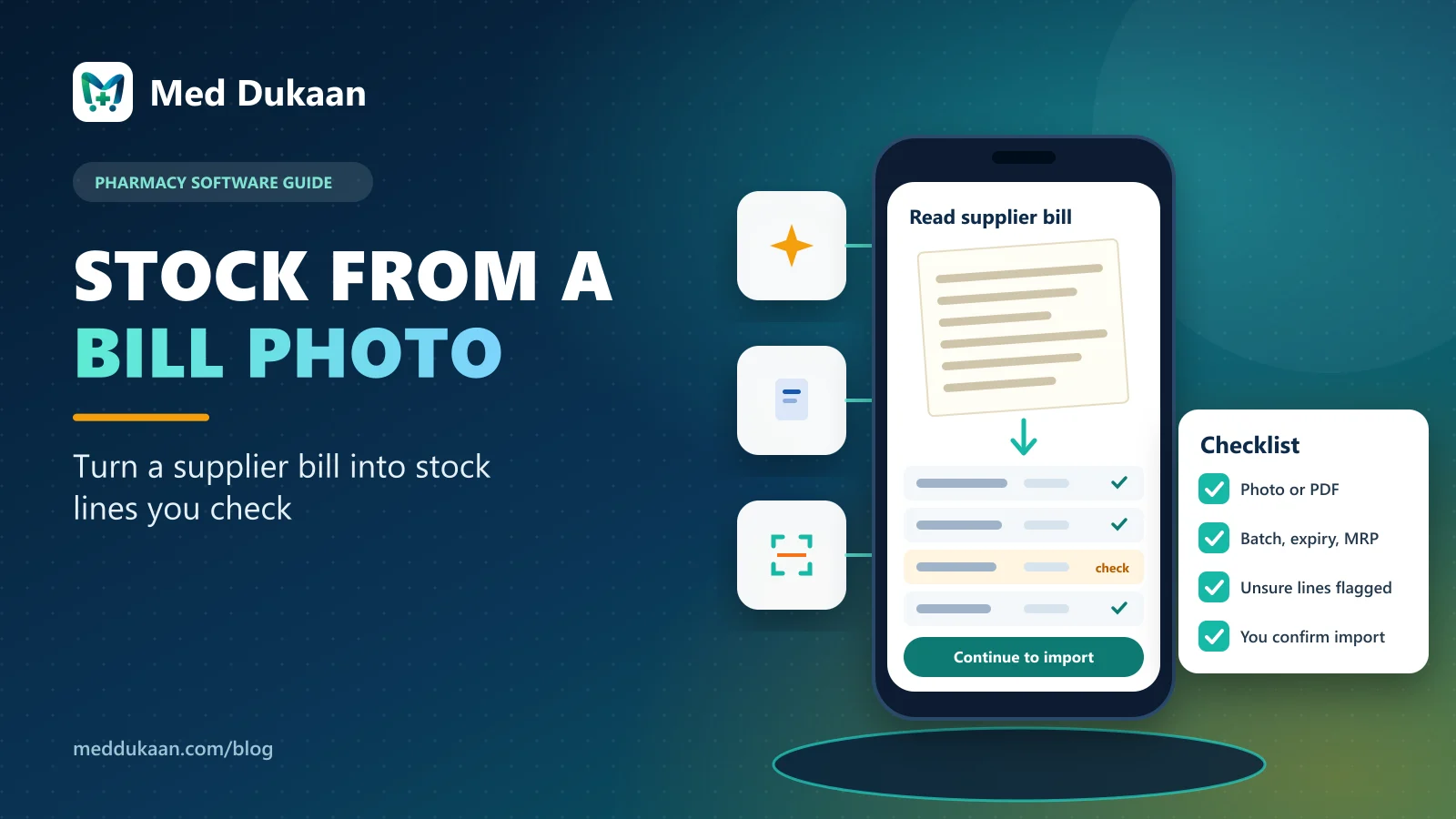
- AI bill reader: photo or PDF to lines you check; unsure lines are highlighted.
- Nothing is added to stock until you confirm.
Which method should you use?
| Situation | Best method |
|---|---|
| One new medicine at the counter | Quick add |
| You know the brand, not the details | Medicine list search |
| You have stock in Excel or another software | Excel/CSV import |
| A new supplier bill just arrived | AI bill reader (photo or PDF) |
How does quick add work?
Type or search the name, choose the GST rate and schedule, and optionally add the first batch: batch number, expiry month, MRP and how many packs. Save and move to the next medicine. Tax and schedule are never skipped.
How does the medicine list help?
Search Med Dukaan's shared medicine list by brand or salt to fill in the name, strength, company and pack. Tax details are filled only from verified entries. Batch, expiry and prices are always your own.
How does the Excel import work?
Import up to 3,000 rows at once. Match your columns, then see each row's result (new, updated, error or duplicate) before anything is saved. Download an error report for the rows to fix. The same file is never added twice.
How does the AI bill reader work?
Where it is switched on for your store, take a photo of the supplier's bill or upload its PDF:
- The AI reads each line: name, batch, expiry, MRP, packs including free packs, discount, GST and HSN.
- Cost is worked out per pack after discount, with GST.
- Lines it is unsure about are highlighted for you to check.
- You correct anything, then the rows go through the same check as an Excel import.
The bill is sent to our AI provider only to be read and is not kept by Med Dukaan. Nothing reaches stock until you confirm.
How do you keep stock clean from day one?
- Enter expiry as printed, month and year.
- Keep MRP per pack, as printed.
- Compare highlighted lines with the paper bill before importing.
- Import one supplier bill at a time so mistakes are easy to trace.
Illustrative example
Fictional example. A store moving from paper registers enters its fastest-moving medicines with quick add on day one, imports an Excel sheet of the rest on day two, and from then on reads each new supplier bill with the AI reader, checking two or three highlighted lines per bill.
Common mistakes
- Skipping expiry dates "for now".
- Importing a sheet twice under different names.
- Trusting any automated reading without checking highlighted lines.
Stock entry feeds everything else, from expiry alerts to billing. See pricing or book a demo.
Frequently asked questions
Does the AI add stock automatically?
No. It reads the bill into lines that you check and correct. Stock is added only after you confirm the import.
How many rows can I import from Excel?
Up to 3,000 rows in one file, with a preview and an error report before saving.
Can I add stock from a supplier bill PDF?
Yes, where the AI bill reader is switched on: upload the PDF or photos of the bill and check the lines before importing.
Is the supplier bill stored by Med Dukaan?
No. It is sent to the AI provider only to be read and is not kept by Med Dukaan.
- #inventory
- #import
- #AI
Product team, Appluk Private Limited
The people who build Med Dukaan, pharmacy software for Indian medical stores. We write about how the software works and how stores use it day to day.